
Test payment step by step
|
Description |
|
|---|---|
|
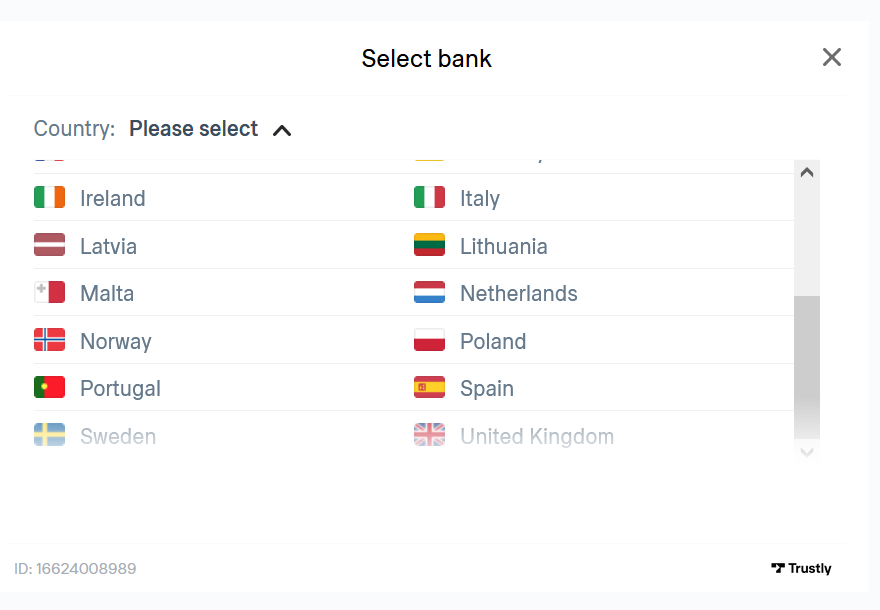
Start page and select a country, e.g. Sweden |
|
|
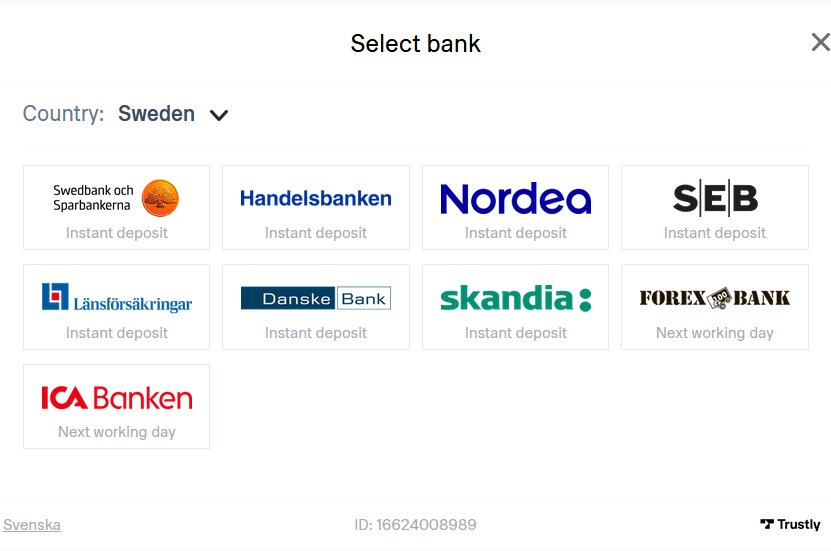
Select any bank of the list |
|
|
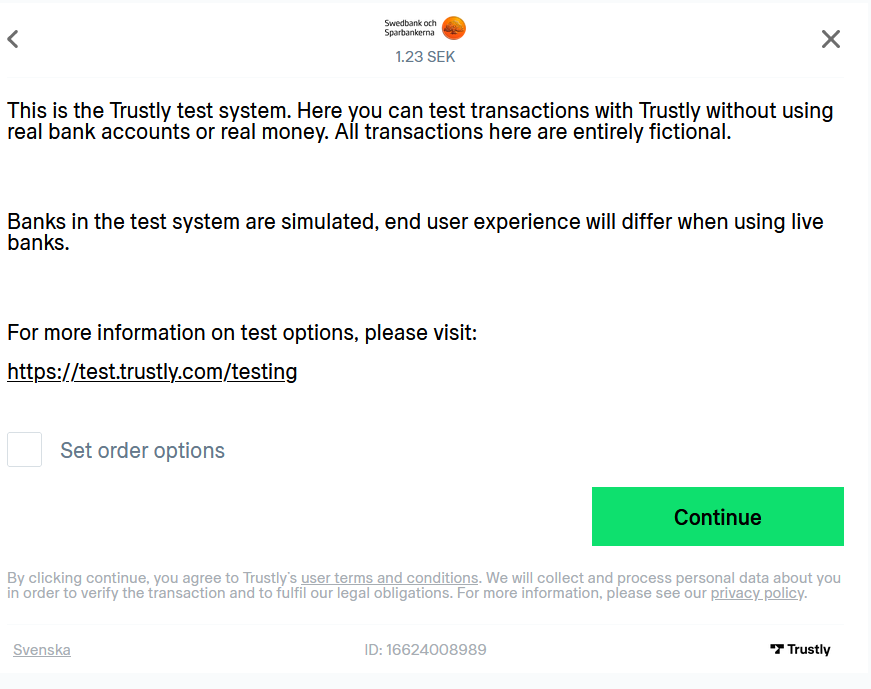
Either just go ahead with "Continue" or click "Set order options" to try specific test cases |
|
|
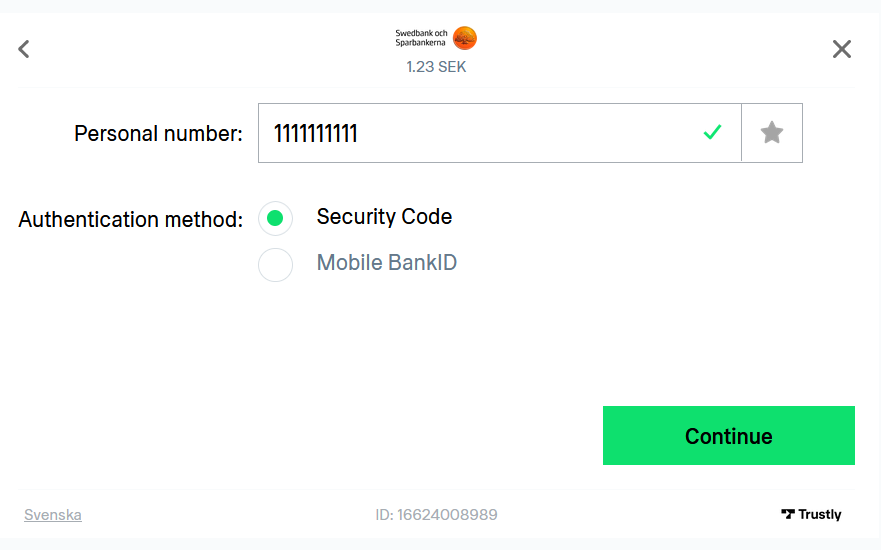
Enter any personal number (either 10 or 12 digits), e.g. 1111111111 |
|
|
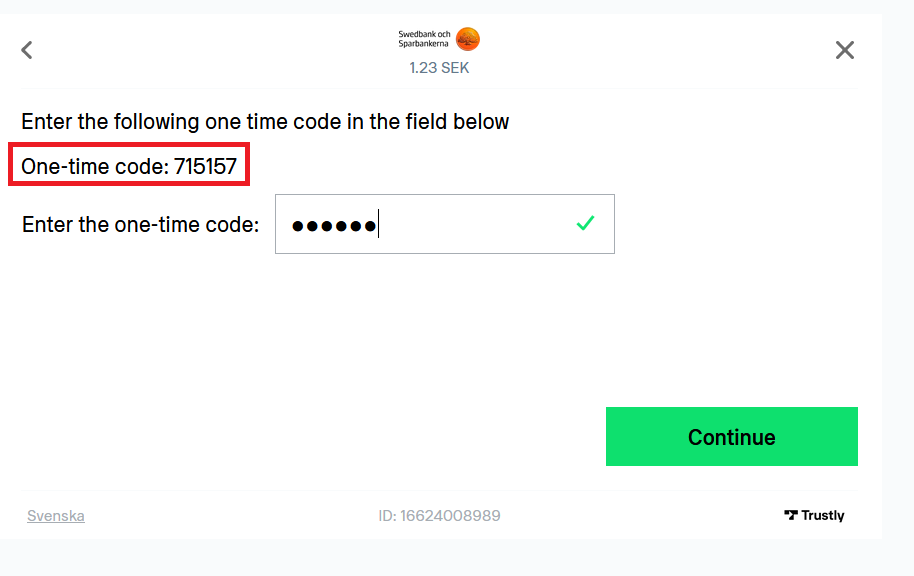
Enter the one-time code which is displayed to confirm that account data may be retrieved |
|
|
Wait for 2 to 3 seconds |
|
|
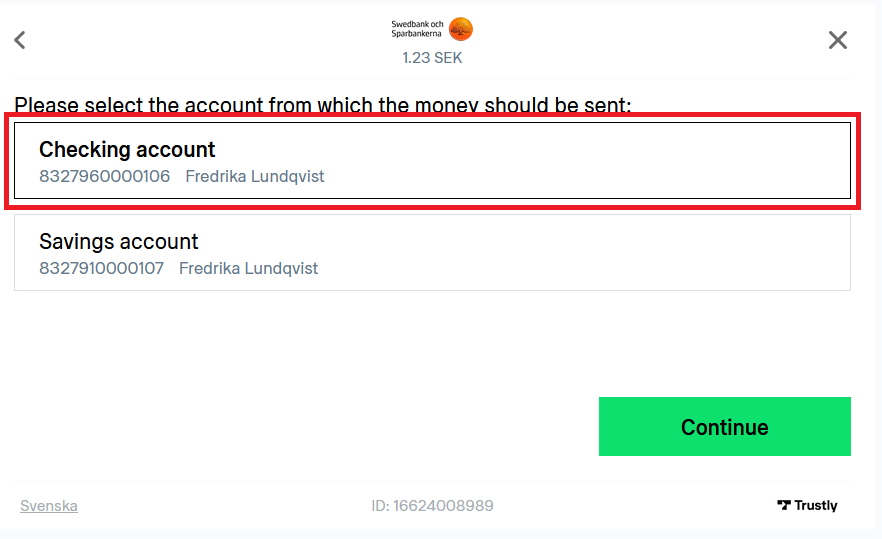
Select the account that should be used |
|
|
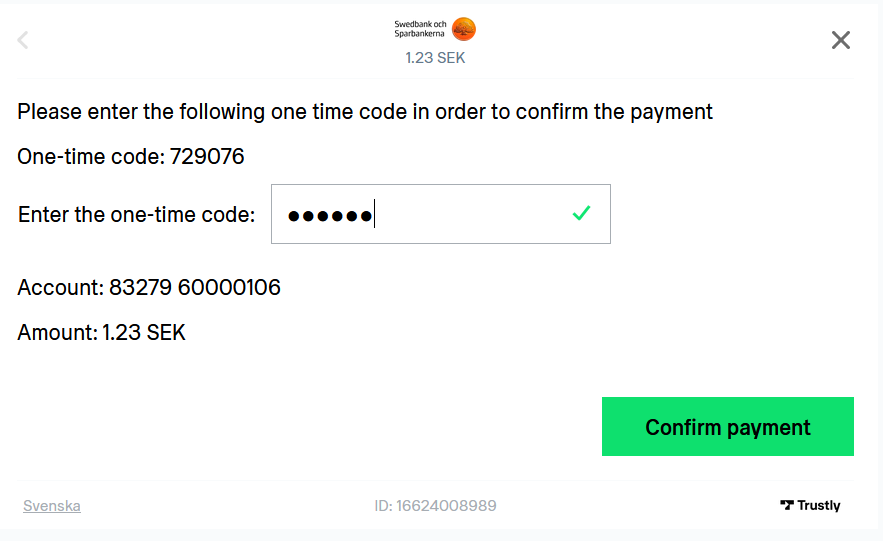
Enter again the one-time code which is displayed to confirm the payment |
|
|
Your test payment has been successfully processed. Your shop will be notified that the payment has been completed. |
|