After successfully logging into the Merchant Portal, users are taken to the Dashboard as the default landing page.
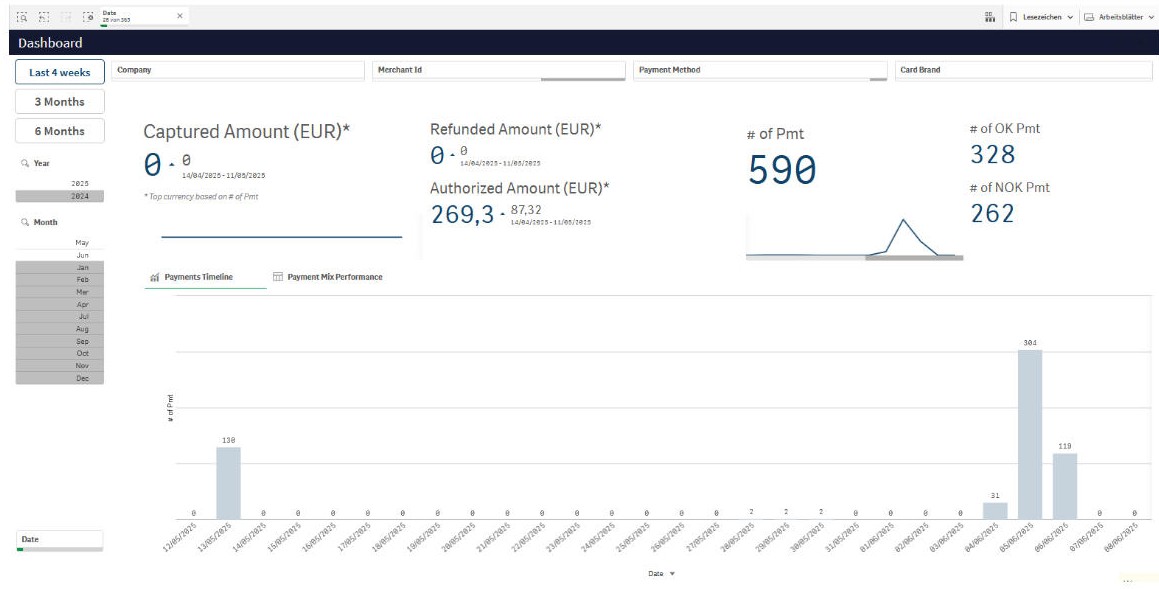
Dashboard
The dashboard offers a comprehensive view of your payment operations, including all associated transactions. It presents key data through interactive tables and visual charts, allowing you to monitor performance over customizable time periods. You can also compare data across different time frames for deeper insights into trends and business activity.
Key Elements of the Landing Screen
1. Your Profile
Here, you can manage your user profile settings, including:
-
Updating personal information
-
Changing your password
-
Adjusting preferences such as date, time and currency formats
-
Viewing user details, including your last login time
You can also log out from the NEXI Merchant Portal in this section.
2. User Profile Picture
If you've uploaded a profile picture, it will be displayed here.
3. Language Selection
You can choose the language for the Merchant Portal interface. Currently supported languages include:
-
English
-
German
-
French
Additional languages will be added in future updates.
4. Collapse / Expand Navigation Menu
Use this control to collapse the navigation menu and maximize your workspace, or expand it again to access full menu options.
5. Navigation Menu
This menu provides access to the main features of the Merchant Portal.
The available menu items may vary depending on your merchant configuration and your user role or permissions.
6. Contact & Legal Information
This section provides quick links to:
-
Contact Us
-
Privacy Policy
-
Imprint
-
Company Website